How can I cancel my subscription?
iOS (App Store):
- Open the Settings app on your iPhone or iPad
- Tap your name → Subscriptions
- Find Reface in the list
- Tap Cancel Subscription and confirm
Android (Google Play):
- Open the Google Play Store app
- Tap your profile icon → Payments & Subscriptions → Subscriptions
- Find Reface
- Tap Cancel Subscription and follow the steps
Web:
-
Open Reface
-
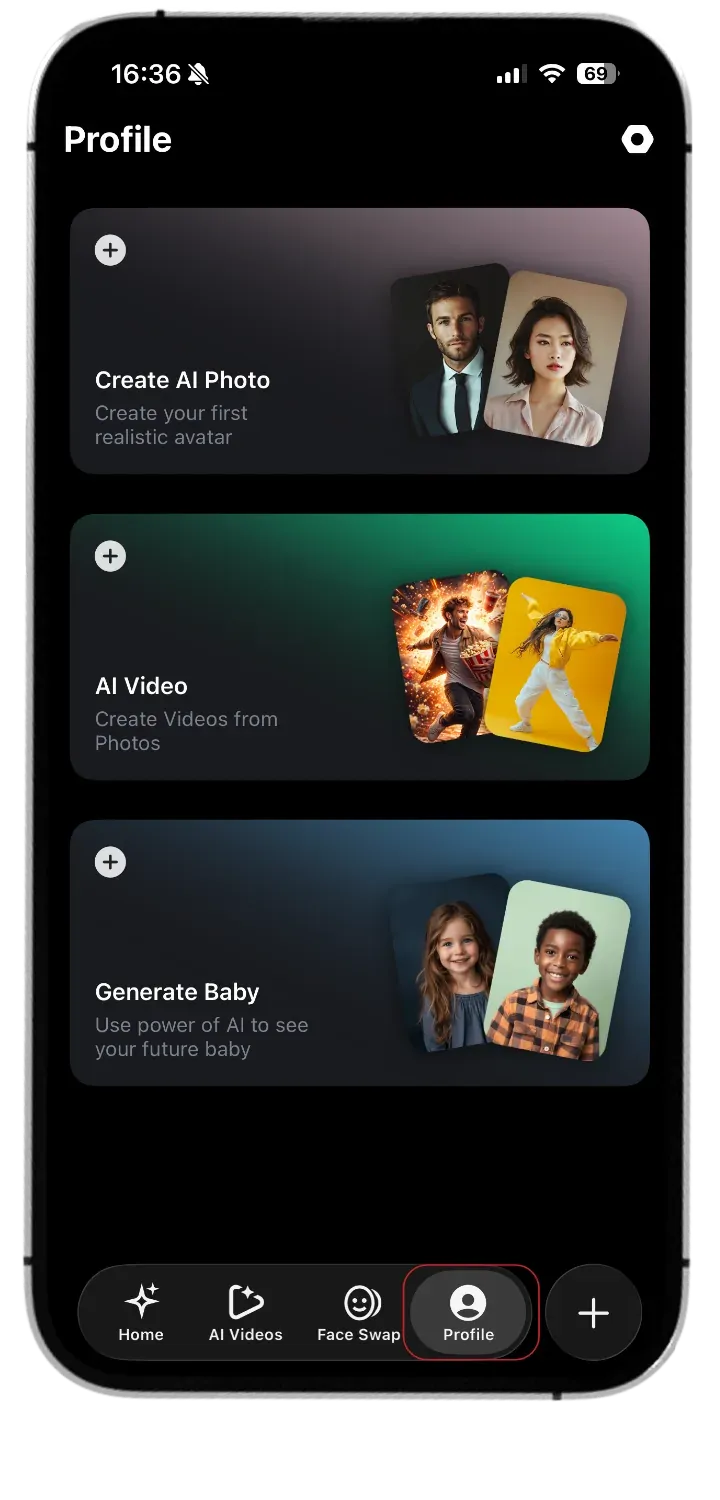
From the bottom menu, open your Profile page
-
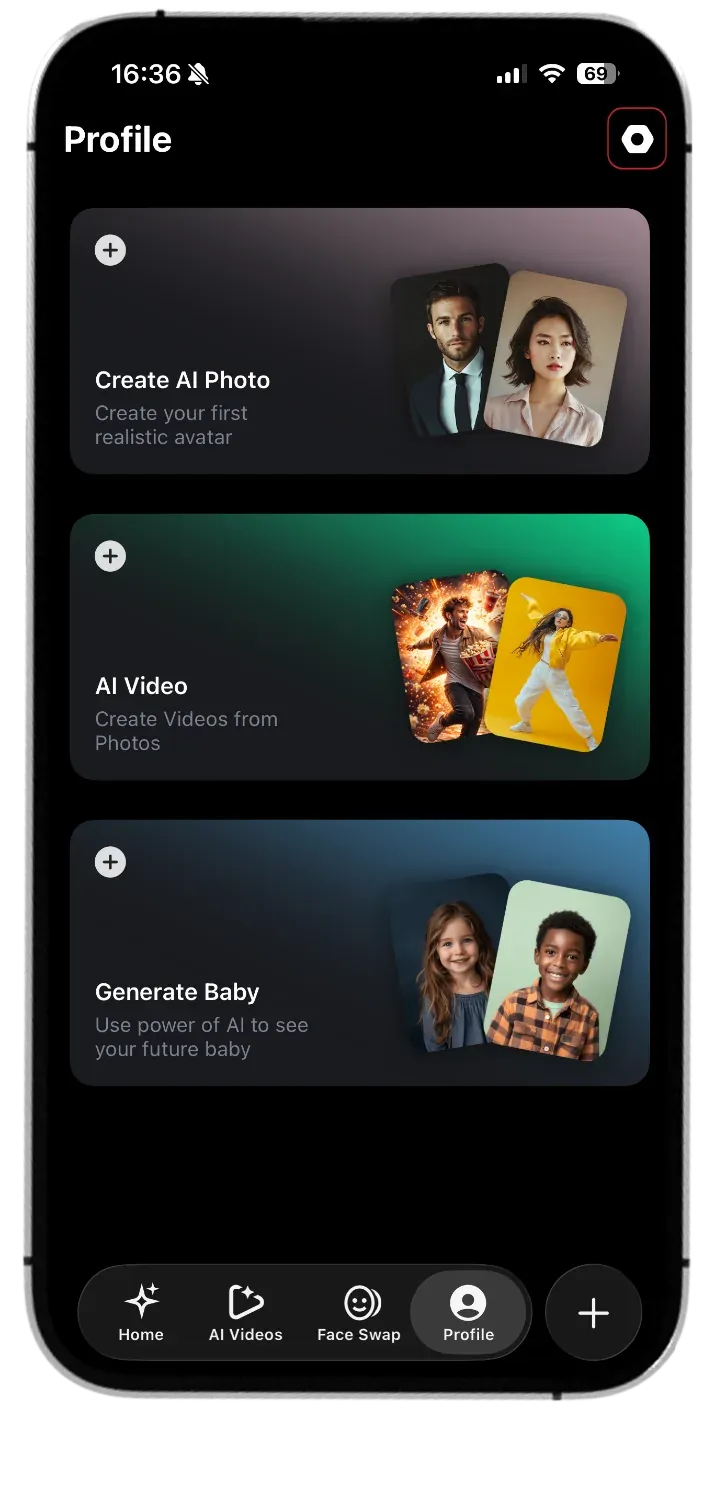
Click on the Settings icon in the top right corner
-
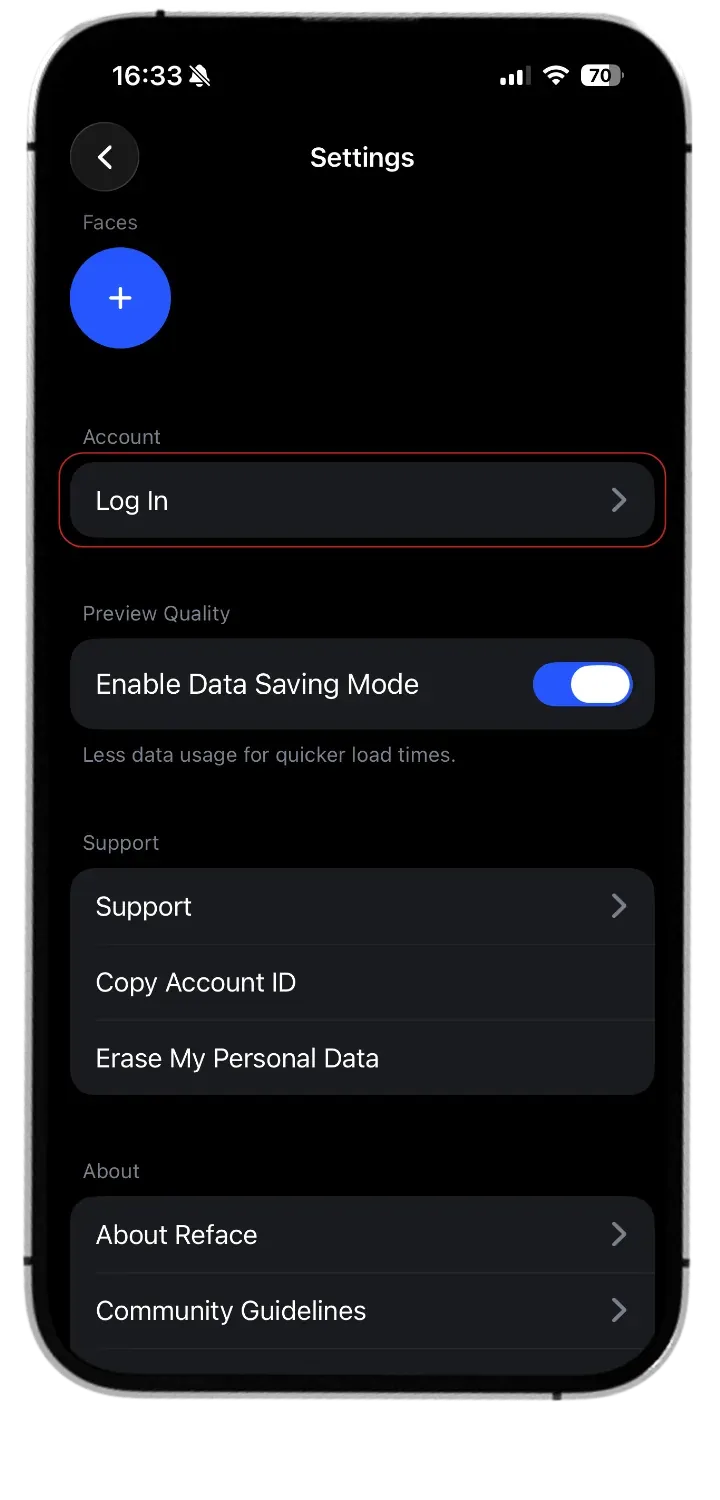
Log in with your Reface account.
-
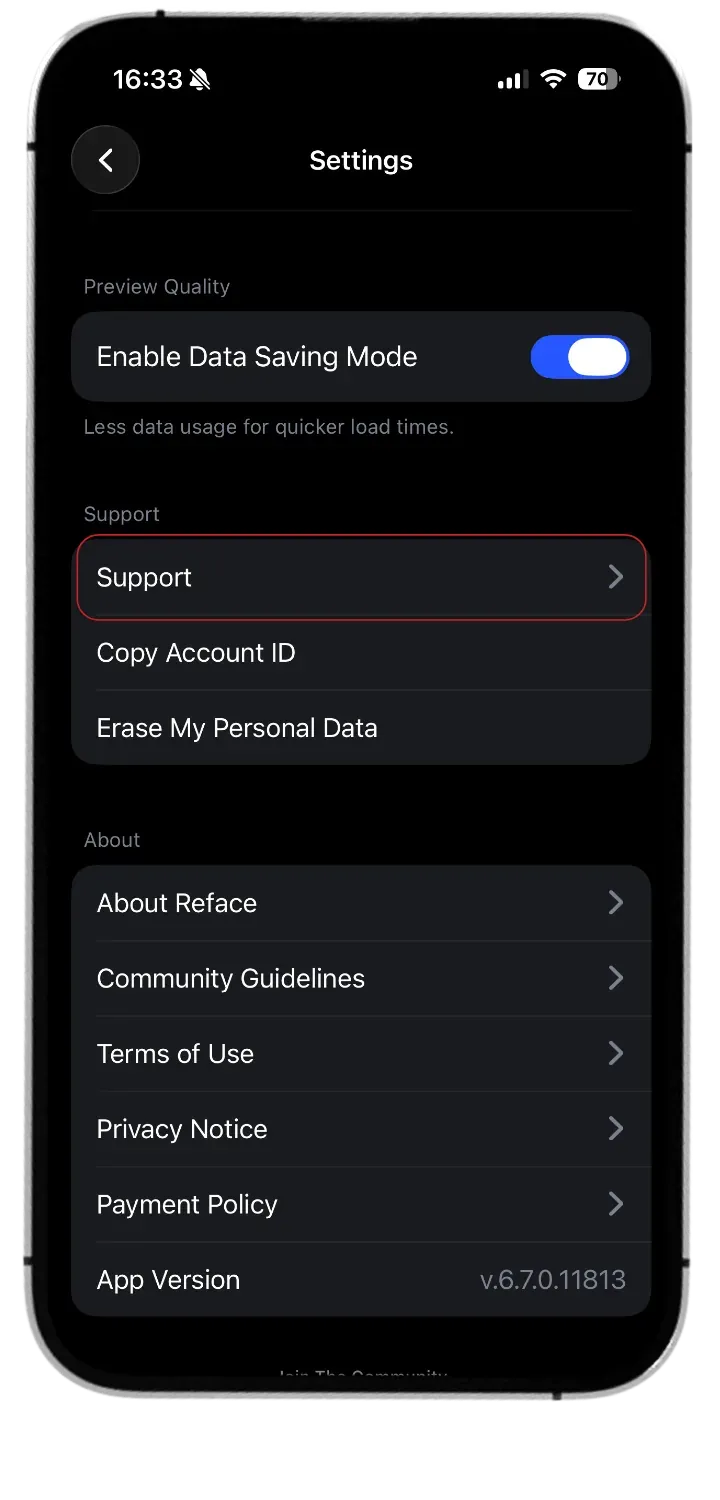
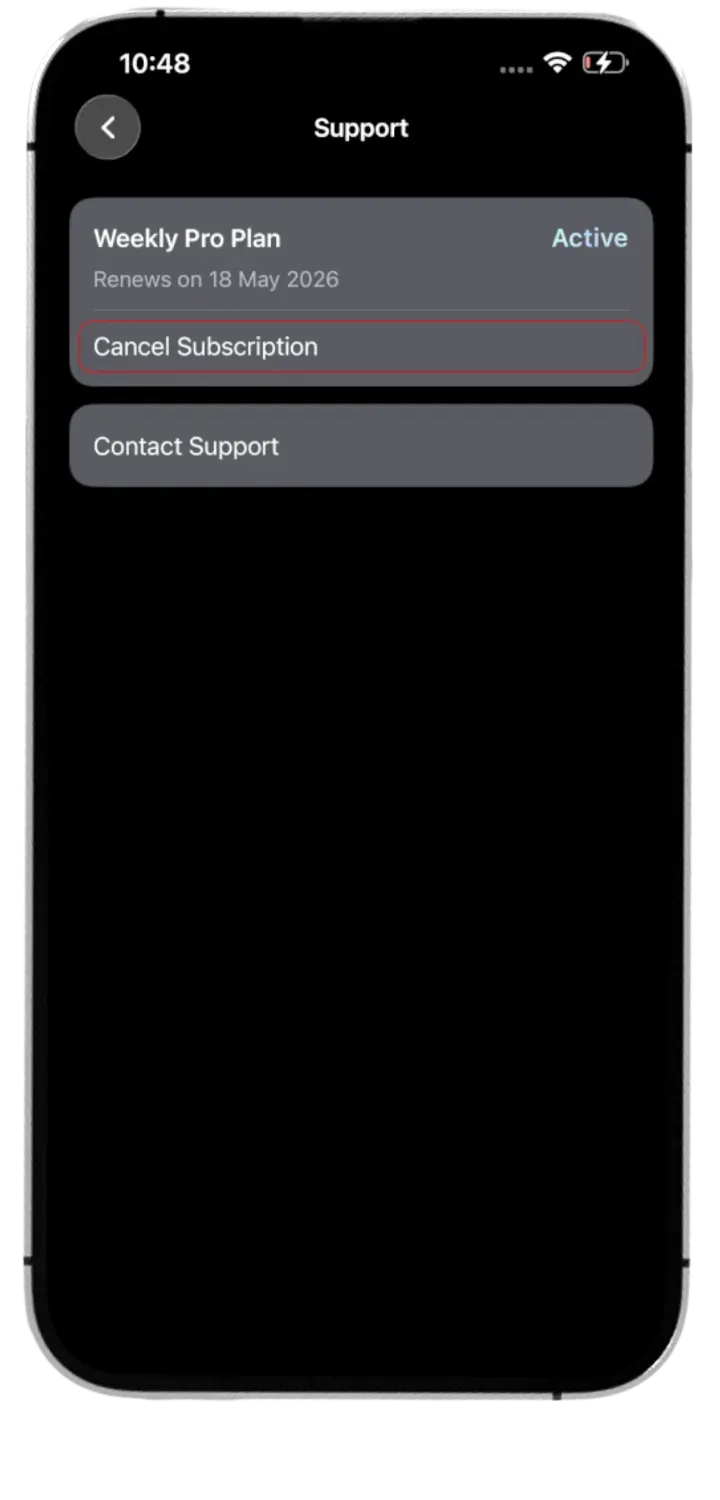
Find the ‘Support’ and tap on it
-
Tap “Cancel Subscription”
Can’t find your subscription? You may have purchased a lifetime plan — or reach out to us at [email protected], and we’ll take a look together.